Your Windows game launchers, running on your Mac.
VexMac installs and runs Steam, Battle.net, Epic, EA, GOG, Ubisoft, Rockstar and more, with Metal-accelerated graphics. No Boot Camp, no virtual machine, no hassle.
8 launchers. One app.
Install any of these from inside VexMac and sign in just like on Windows.


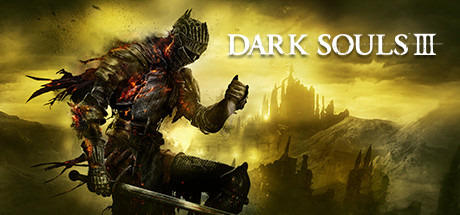
Popular games, ready to play.
VexMac auto-tunes the right graphics backend and fixes for each game — top titles just work.














Native feel, real performance.
Powered by a tuned Wine engine and Metal graphics translation.
Metal-accelerated
DirectX is translated to Apple Metal (D3DMetal / DXMT) so games render fast and smooth on your GPU.
One-click installers
Pick a launcher from the catalog and VexMac sets up fonts, runtimes and graphics automatically.
Per-game controls
Graphics backend, MSync, high-resolution and CPU cores — tune each bottle from one simple panel.
Real Mac windows
Each launcher gets its own Dock icon and window. It feels like a Mac app, not a VM.
Auto-updates
VexMac keeps itself up to date, so new launcher fixes arrive automatically.
Controller ready
Bluetooth and wired controllers (DualSense, Xbox) are recognized for supported games.
How it works
No terminal, no config files. Install a launcher and play.
Download & open
Download VexMac, drag it to Applications, and click Start trial when you’re ready.
Pick a launcher
Choose Steam, Epic, Rockstar and more. VexMac installs it for you.
Sign in & play
Log in to your account and start your library, right on your Mac.
Start free, then pick your plan.
Try VexMac free. Unlock every launcher with one license, monthly or yearly.
- All 8 launchers on up to 3 Macs
- Metal-accelerated graphics
- Automatic updates
- Cancel anytime
- Everything in Monthly
- Save about 30% vs monthly
- One license for up to 3 Macs
- Cancel anytime
Secure checkout by Polar. After purchase, open your customer portal with your purchase email to copy your license key.
Use VexMac 1.0.1 or newer and paste your key on the activation screen. One license works on up to 3 Macs.
Ready to play?
Download VexMac and run your Windows launchers on macOS today.